
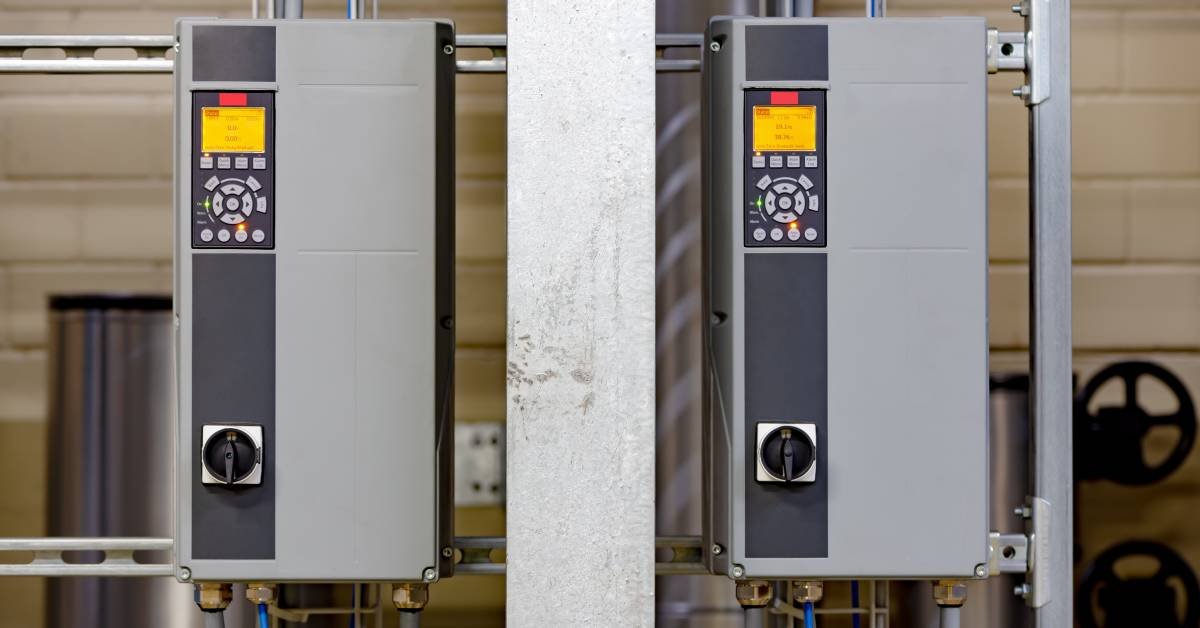
A variable frequency drive can give a motor smoother starts, better speed control, and more efficient operation. Still, the drive needs the right information before it can do its job well.
That information usually starts on the motor nameplate. Those small stamped details tell the VFD how the motor should run, how much current it can handle, and where the setup needs tighter attention. Use these motor nameplate data and VFD setup tips to ensure everything will operate effectively.
Start With the Nameplate
The motor nameplate gives you the baseline for VFD programming. Before you touch drive settings, record the motor voltage, full-load amps, horsepower, frequency, RPM, service factor, and enclosure type.
Don’t rely on a guess or a similar motor nearby. Two motors can look alike and still need different settings.
Match Voltage and Current
Voltage and full-load amps guide some of the most important VFD parameters. When those values don’t match the motor, the drive may trip too often or allow the motor to run under stressful conditions.
Full-load amps deserve close attention because the VFD uses that number for overload protection. A wrong entry can leave the motor vulnerable during heavy starts, long runs, or changing loads.
Check Frequency and Speed
Most motors list a base frequency, often 60 hertz in the United States. The VFD uses that value to understand the relationship between frequency and motor speed.
RPM also helps you confirm that you’re programming the correct motor type. When the VFD and motor data don’t line up, operators may see poor speed control, extra heat, or weak torque.
Set Acceleration Carefully
Acceleration and deceleration settings affect how hard the motor and connected equipment work during speed changes. A ramp that moves too quickly has the potential to strain belts, pumps, fans, gearboxes, and couplings.
A slower ramp can reduce mechanical shock and nuisance trips. However, a ramp that runs too slowly may create process problems, so match the setting to the application rather than using a default.
Don’t Ignore Protection Settings
A good VFD setup does more than make the motor spin. It also protects the motor from overloads, overheating, current spikes, and operating conditions that shorten service life.
Improper VFD programming can damage motors, especially when users skip overload values or leave factory defaults in place. Take time to review every protection setting before production starts.
Consider the Load
A conveyor, pump, compressor, and fan all behave differently. The load type affects torque demand, ramp timing, minimum speed, maximum speed, and stopping method.
You’ll get better results when you program the VFD around the real job the motor performs. A careful setup helps the motor run smoothly instead of fighting the application.
Build a Better Setup
Motor nameplate data gives you a clear starting point for safer, smarter VFD setup. When you enter the right values and adjust the drive for the load, you help the motor work with less stress.
A few minutes of careful programming can prevent expensive downtime later. Treat the nameplate as your first tool, and your VFD setup will start on stronger ground.